1000 Power Prompts for Designers: A Practical Guide to Boosting Creativity and Workflow
For designers, creativity is the cornerstone of every project. Yet, even the most experienced professionals can face creative blocks or struggle with generating fresh ideas. That’s where 1000 Power Prompts for Designers comes in—a comprehensive resource designed to help graphic designers, UI/UX specialists, brand creators, and freelancers streamline their workflow, enhance problem-solving skills, and unlock new levels of innovation.
This guide isn’t just a list of prompts; it's a structured framework that integrates seamlessly into your design process. Whether you're working on branding identity, user experience design, or visual composition, these prompts provide actionable guidance at every stage of your creative journey.
What Are 1000 Power Prompts for Designers?
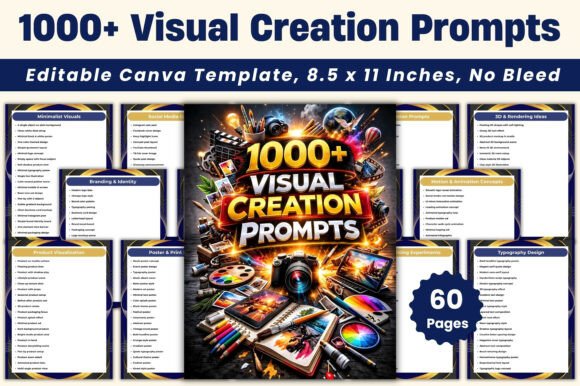
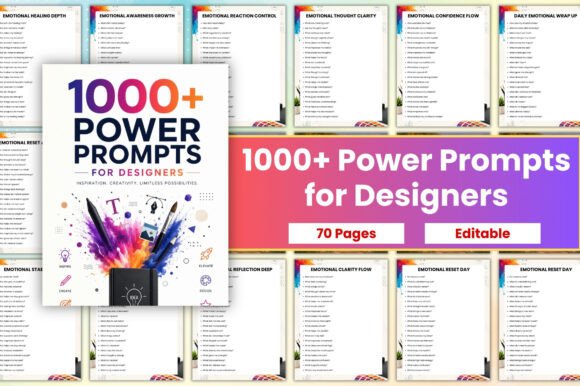
1000 Power Prompts for Designers is a collection of over 1000 guided prompts organized into thematic categories. These prompts are crafted to spark creative thinking, improve decision-making, and refine design outcomes across various disciplines. From idea generation to portfolio development, this resource offers something for every type of designer.
The prompts cover essential areas such as:
- Creative Thinking & Idea Generation
- Branding Identity Design
- UI/UX User Experience
- Visual Composition & Layout
- Color Theory & Typography
- Portfolio Case Study Development
- Client Communication & Freelancing
- Problem Solving & Design Strategy
- Innovation & Concept Development
- Productivity & Workflow Optimization
Each prompt is concise, clear, and designed to be immediately useful. They are structured to help you brainstorm more effectively, think critically about your work, and approach design challenges with greater clarity and confidence.
How to Use 1000 Power Prompts for Designers in Your Workflow
The beauty of 1000 Power Prompts for Designers lies in its flexibility. It can be used before, during, or after a project, task, or creative session. Here's how you can integrate it into different stages of your workflow:
Pre-Project Planning
Before starting a new project, use the prompts related to creative thinking, branding identity, or design strategy to define your goals and set the right direction. For example, a prompt like “What unique value does this brand offer?” can help clarify your vision and ensure your designs align with the client's objectives.
You can also use prompts from the idea generation section to explore multiple concepts before finalizing one. This helps avoid tunnel vision and ensures you consider all possible solutions.
During Project Execution
As you work through a project, the prompts can act as checkpoints to keep your thinking aligned with the project's goals. If you're designing a UI layout, prompts related to visual composition and user experience can help you evaluate your choices and make data-driven decisions.
For instance, a prompt like “Does this layout support intuitive navigation?” encourages you to step back and assess usability rather than focusing solely on aesthetics.
Post-Project Review
After completing a project, use the prompts under portfolio case study development or client communication to reflect on what worked well and what could be improved. This not only helps you grow as a designer but also strengthens your ability to communicate your thought process to clients or stakeholders.
Prompts related to problem solving and design strategy can also be used to analyze the effectiveness of your solutions and identify opportunities for future improvement.
Integrating 1000 Power Prompts with Other Tools and Resources
1000 Power Prompts for Designers works well with other design tools and methodologies. Whether you're using Figma for UI/UX design, Adobe Creative Suite for graphic design, or Notion for project management, these prompts can complement your existing workflow.
For example, when using Figma, you can print out relevant prompts and place them near your workspace as a reference while designing. Similarly, if you're using Trello or Asana for task management, you can create cards based on specific prompts to track progress and ensure you stay on course.
The resource is also compatible with design thinking frameworks. By incorporating prompts related to empathy, ideation, prototyping, and testing, you can enhance your design thinking process and produce more user-centered solutions.
Practical Implementation Tips and Workflow Examples
To get the most out of 1000 Power Prompts for Designers, consider the following tips:
- Use it daily: Dedicate a few minutes each day to review a prompt. This helps build a habit of critical thinking and keeps your mind engaged with design challenges.
- Customize it: The editable pages allow you to tailor prompts to your specific projects or industry needs. Add notes, sketches, or references alongside each prompt to personalize your experience.
- Print and pin: Print the prompts and pin them to your desk or studio wall for quick access during brainstorming sessions or design reviews.
- Share with your team: Use the prompts in collaborative settings to encourage discussion, generate diverse ideas, and align your team on common goals.
Here's an example of how you might use the prompts in a real-world scenario:
- Start with a prompt: “What emotional response should this design evoke?”
- Sketch a few variations: Based on the prompt, create three different visual concepts that convey the desired emotion.
- Review with the prompt: “Which concept best communicates the intended message?”
- Refine and finalize: Use feedback from the prompt to make adjustments and finalize your design.
Factors to Consider for Long-Term Use
While 1000 Power Prompts for Designers is highly versatile, there are a few factors to consider for long-term success:
- Preparation: Organize your prompts by category and project type so they’re easy to find when needed.
- Compatibility: Ensure the prompts align with your current design philosophy and project requirements.
- Usability: Keep the prompts accessible—whether digitally or in print—and update them as needed to reflect new trends or techniques.
- Organization: Group prompts by theme or workflow stage to maintain structure and avoid confusion.
- Efficiency: Use the prompts as a supplement to your existing tools rather than a replacement, ensuring a balanced approach to your design process.
- Consistency: Incorporate prompts regularly to maintain momentum and prevent creative stagnation.
- Quality control: Periodically review completed prompts to ensure they’ve contributed positively to your design outcomes.
By keeping these considerations in mind, you can maximize the value of 1000 Power Prompts for Designers and integrate it smoothly into your routine.
Conclusion
1000 Power Prompts for Designers is more than just a list of questions—it's a powerful tool that empowers designers to think more critically, solve problems more efficiently, and create better outcomes. Whether you're a freelancer, a creative professional, or someone looking to sharpen your design skills, this resource provides the structure and inspiration needed to thrive in today’s fast-paced design landscape.
By integrating these prompts into your workflow, you’ll not only boost your creativity but also develop a more disciplined and effective approach to design. Start using 1000 Power Prompts for Designers today and take your design process to the next level.